
Audio Visual in San Francisco CA
We cable, mount and set up the displays, cameras, microphones and speakers in your conference rooms, training rooms and common areas, so meetings start on time and remote attendees can see and hear everyone.
Need audio visual in San Francisco CA? Our C-7 licensed technicians run the AV cabling, mount displays and cameras, install table and floor connectivity, and set up Microsoft Teams Rooms or Zoom Rooms on your network. Because we also handle your data cabling, the network drops, PoE and AV wiring all go in together and work the first time.
Outfitting new conference rooms or fixing ones nobody wants to use? Get a walkthrough and itemized quote. Call (628) 215-7235.
Request a quoteAV Services We Provide
A great meeting room depends on three layers: the cable in the walls, the hardware in the room and the conferencing platform that ties it together. We handle each on its own or as one project.
-
AV Cabling
HDMI, HDBaseT, USB, speaker and control cabling run through walls, ceilings and floor boxes so every display, camera and speaker connects cleanly.
View AV cabling -
Conference Room AV Installation
Displays mounted, table connectivity installed and wireless presentation set up, so anyone can walk in and share their screen in seconds.
View conference room AV installation -
Video Conferencing Systems
Microsoft Teams Rooms and Zoom Rooms with cameras, ceiling or table microphones and speakers, tuned so everyone is seen and heard.
View conferencing setups
How a Modern Meeting Room Comes Together
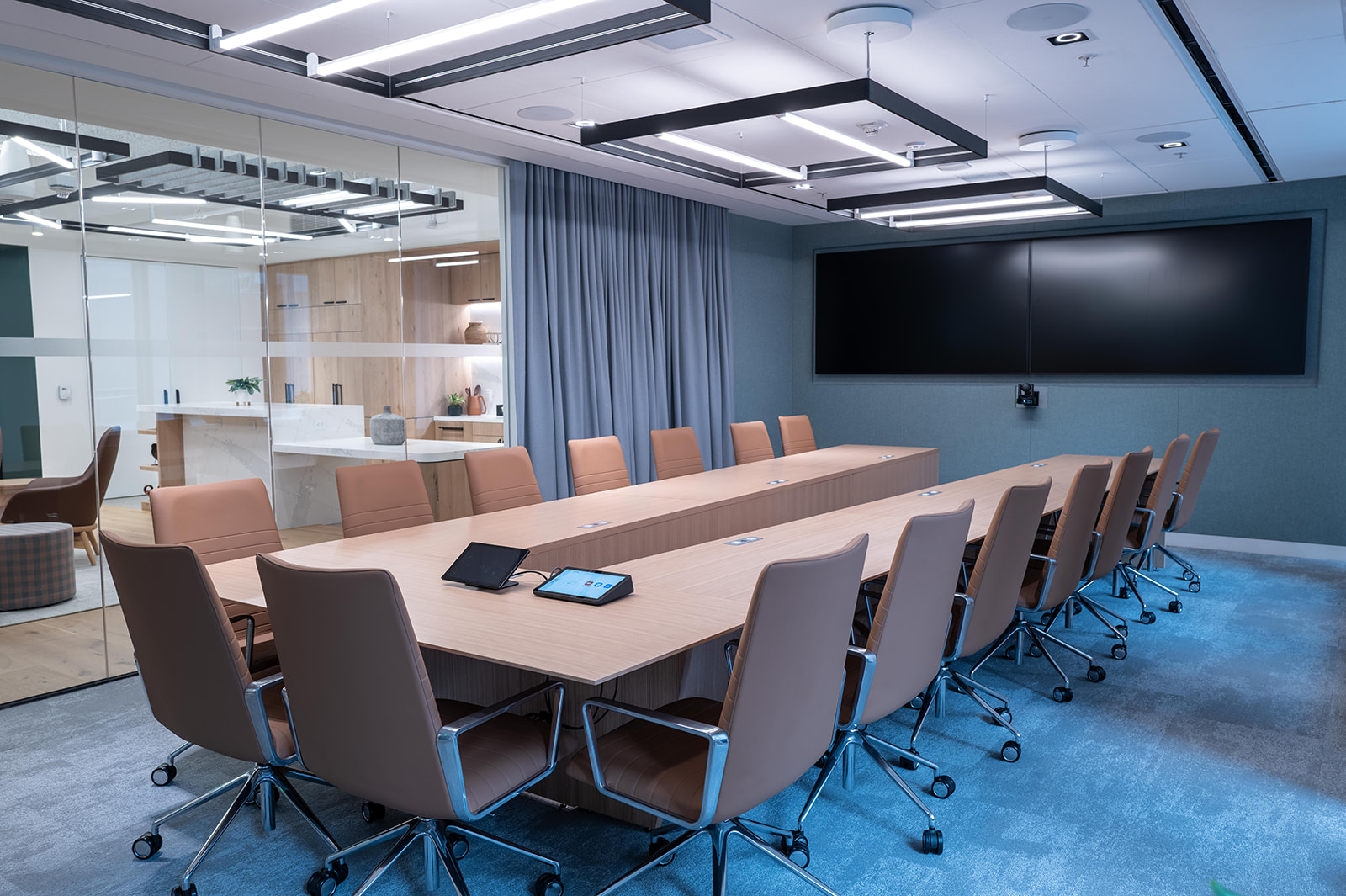
Most meeting room complaints come down to the same few problems: a display that won’t connect, a camera that can’t see the whole table, or microphones that leave remote attendees straining to hear. Nearly all of them trace back to planning and cabling. We size the display to the room, place the camera so it frames every seat, choose ceiling or table microphones based on the table shape and acoustics, and run every cable before the walls close.
Today’s rooms run largely on your network. A Teams or Zoom Room compute unit, touch controller, camera and microphones connect over Cat6 with PoE, while HDBaseT carries 4K signals to displays up to 100 meters away on a single Cat6A cable. That means fewer bulky AV cables, cleaner tables and rooms your IT team can manage remotely.
Commercial AV, not home theater or equipment dealers
We focus on commercial rooms rather than home theater work, and unlike consumer electronics stores or equipment dealers, we design, cable and install everything ourselves. Companies across the Bay Area find that one contractor for cabling and AV saves time and avoids finger-pointing.
| Signal | Cable we install | Typical reach | Used for |
|---|---|---|---|
| HDMI (passive) | High-speed HDMI cable | Up to about 15 m | Short runs from table to display |
| HDBaseT | Cat6A, shielded where needed | Up to 100 m at 4K | Displays and projectors across larger rooms |
| USB | USB cable or USB-over-Cat6 extenders | 5 m passive; up to 100 m extended | Cameras and microphones to a room PC |
| Networked sound (Dante) | Cat6 with PoE | 100 m per link | Ceiling mics, DSPs and amplifiers |
| Speaker | 14–16 AWG or 70 V speaker wire, plenum rated | Varies with load | Ceiling and wall speakers |
| Room controls | Cat6 (IP) or RS-232 | 100 m (IP) | Touch panels, displays and shades |
Places we outfit with AV
- Boardrooms
- Conference and huddle rooms
- Training and classrooms
- All-hands and event spaces
- Lobbies and digital signage
- Executive offices
- Hotel meeting rooms
- Medical and telehealth rooms
AV Projects Across the City
Financial District boardrooms
Dual-display boardrooms with ceiling microphones and Teams Rooms for firms meeting clients in person and remotely.
SoMa all-hands spaces
Large displays, wireless microphones and live-stream cabling for tech companies running town halls across offices.
Mission Bay training rooms
Projectors, document cameras and room sound for life science companies training new staff and hosting seminars.
Union Square hotel meeting rooms
Divisible rooms with flexible display and sound routing, so each space works alone or as one large event room.
Our AV Installation Process
Room walkthrough
We measure each room, check walls, ceilings and acoustics, and confirm how many people will meet there and how they connect.
Design and video equipment selection
We recommend displays, cameras, microphones and the conferencing platform, with an itemized quote.
Cabling and backing
AV and network cabling are run, floor and table boxes installed, and walls reinforced for heavy displays.
Mounting and setup
Displays, cameras, microphones and controllers are mounted, connected and configured on your network.
Testing and training
We test every input, call and microphone, tune the sound, and show your team how to start a meeting with one touch.
AV Service Area in San Francisco
We install meeting room AV in every neighborhood of the city, plus these Peninsula, East Bay and Marin cities:
- Daly City, CA
- Tiburon, CA
- Alameda, CA
- Oakland, CA
- South San Francisco, CA
- San Bruno, CA
- Albany, CA
- Berkeley, CA
- Piedmont, CA
- Mill Valley, CA
See every location on our service area page.
Request an AV Quote
Send a floor plan, the number and size of rooms, and the conferencing platform you use, and we’ll schedule a walkthrough and return an itemized quote, usually within two business days.
San Francisco Telecom TechsOne Beach St, San Francisco, CA 94133
Phone: (628) 215-7235
Email: [email protected]
Get meeting rooms that connect, look and sound right every time.
Request a quote